AWS Solutions Architect Interview Guide: Real Architecture Scenarios
From IAM Least Privilege to Multi-Region Well-Architected Designs Interviewers Actually Whiteboard
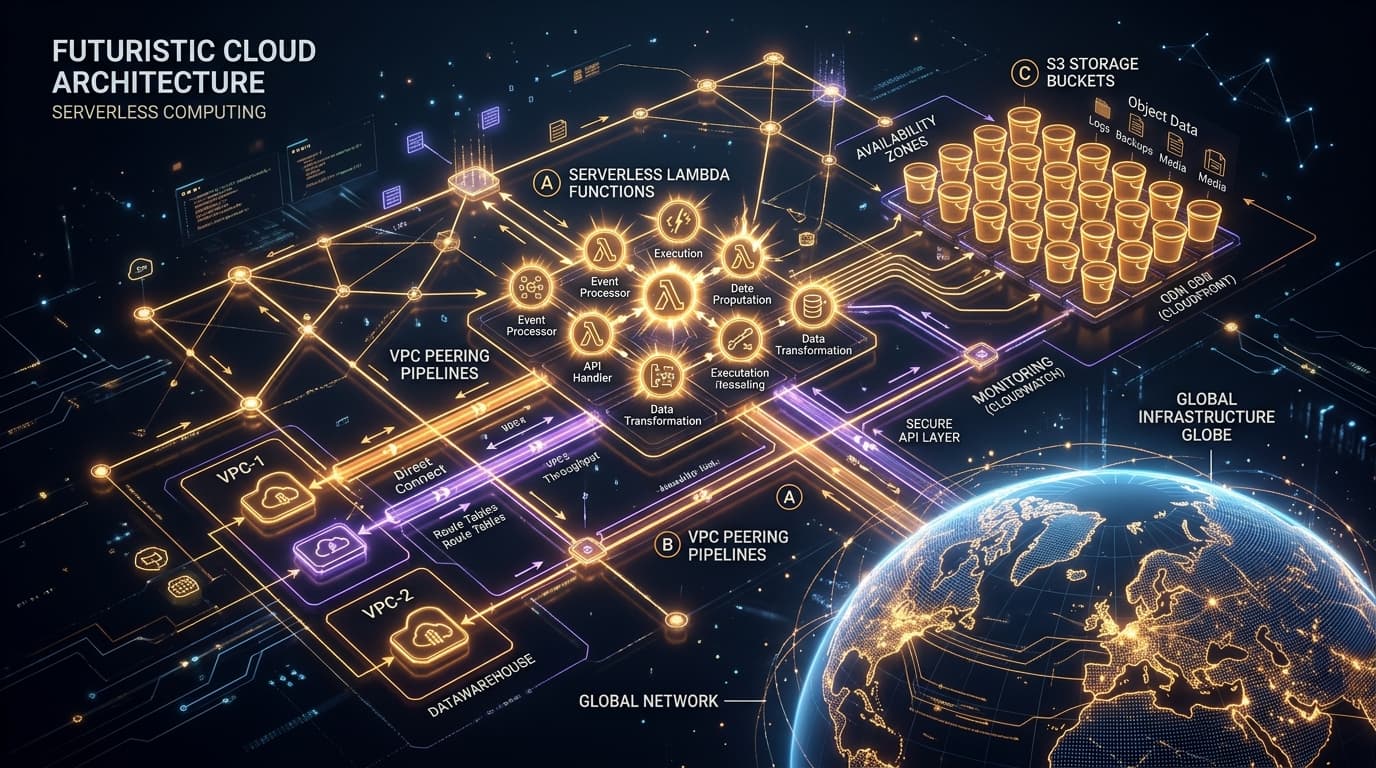
What You Must Master to Clear This Track
- Internalize IAM policy evaluation order: an explicit Deny always wins, and with no explicit Allow the implicit default is Deny.
- Know exactly when a Security Group (stateful, instance-level) is the right tool versus a Network ACL (stateless, subnet-level).
- Be ready to justify EC2 vs Lambda vs Fargate purely on cost-per-invocation, cold start tolerance, and execution duration limits.
- Memorize the S3 storage class ladder (Standard to Glacier Deep Archive) and when lifecycle rules actually save money versus add retrieval risk.
- Frame every scenario answer around the Well-Architected pillars: Operational Excellence, Security, Reliability, Performance Efficiency, Cost Optimization, Sustainability.
Step-by-Step Study Plan
Follow this sequential roadmap designed to take you from core foundations to advanced architecture and mock interviews.
Identity, Access Boundaries & Network Isolation
IAM users/groups/roles/policies, least privilege, policy evaluation logic, VPC subnets, route tables, Internet/NAT gateways, Security Groups vs NACLs.
- •Write a least-privilege IAM policy from scratch with resource ARNs and conditions.
- •Draw a VPC with public and private subnets across 2 Availability Zones from memory.
- •Explain the exact packet path for an inbound request through a Security Group and a NACL.
- •Never grant a role using a wildcard (*) resource or action unless truly required — justify every permission.
- •Practice tracing a route table entry for 0.0.0.0/0 to an Internet Gateway versus a NAT Gateway.
EC2/Auto Scaling/Lambda & S3/EBS/RDS/DynamoDB Decisions
EC2 purchasing options, Auto Scaling policies, Lambda's execution model and limits, S3 storage classes, EBS volume types, RDS Multi-AZ/Read Replicas vs DynamoDB partitioning.
- •Compare On-Demand, Reserved, Spot, and Savings Plans pricing models with concrete use cases for each.
- •Configure a target-tracking Auto Scaling policy and explain warm-up/cooldown periods.
- •Justify RDS vs DynamoDB for a given access pattern using partition key cardinality and query shape.
- •Build a small Terraform stack provisioning a VPC, ASG, and RDS instance to internalize resource dependencies.
- •Read the actual AWS pricing pages for S3 storage classes and EC2 instance families rather than relying on memorized numbers.
Multi-Region High Availability & Whiteboard Architecture Drills
The six Well-Architected pillars, disaster recovery strategies (backup/pilot light/warm standby/multi-site active-active), and full end-to-end scenario design under time pressure.
- •Design a multi-region highly available e-commerce backend end-to-end, covering DNS failover, data replication, and cache invalidation.
- •Map a workload to an RTO/RPO target and pick the matching DR strategy.
- •Run 4-6 mock whiteboard sessions where you narrate trade-offs out loud under a 30-45 minute clock.
- •Always state assumptions about traffic volume, read/write ratio, and budget before committing to an architecture.
- •Practice defending a design against 'what if this component fails' follow-up questions for every single box you draw.
1. IAM: Roles, Policies & the Least Privilege Model
IAM is the single most tested topic in AWS Solutions Architect interviews because nearly every architecture question eventually asks 'who is allowed to do this, and how do you prove it.'
IAM Users are long-lived identities for people; Groups bundle policies for users with shared responsibilities; Roles are temporary, assumable identities (via STS) used by services, EC2 instances, Lambda functions, or federated/cross-account principals — never attach long-term credentials to compute.
AWS evaluates all applicable policies (identity-based, resource-based, permissions boundaries, SCPs, session policies) together: the default is implicit Deny, an explicit Allow in any applicable policy grants access, but a single explicit Deny anywhere overrides every Allow.
Scope actions to specific API calls (s3:GetObject, not s3:*), scope resources to exact ARNs or prefixes, and add Condition blocks (aws:SourceIp, aws:MultiFactorAuthPresent, s3:x-amz-server-side-encryption) instead of granting broad access and hoping it is never misused.
Never share IAM user credentials across AWS accounts. Instead, define a trust policy on a role in the target account and let the source account's principal call sts:AssumeRole, receiving short-lived credentials that auto-expire.
{
    "Version": "2012-10-17",
    "Statement": [
      {
        "Sid": "AllowReadOnlyOrdersPrefix",
        "Effect": "Allow",
        "Action": [
          "s3:GetObject",
          "s3:ListBucket"
        ],
        "Resource": [
          "arn:aws:s3:::ecommerce-orders-prod",
          "arn:aws:s3:::ecommerce-orders-prod/orders/*"
        ],
        "Condition": {
          "StringEquals": { "s3:prefix": "orders/" },
          "Bool": { "aws:MultiFactorAuthPresent": "true" }
        }
      },
      {
        "Sid": "DenyOutsideCorpNetwork",
        "Effect": "Deny",
        "Action": "s3:*",
        "Resource": "*",
        "Condition": {
          "NotIpAddress": { "aws:SourceIp": ["203.0.113.0/24"] }
        }
      }
    ]
}- In interviews, always say 'I would scope the resource ARN and add a condition' rather than just naming a managed policy — evaluators are grading your instinct toward least privilege.
- Use IAM Access Analyzer and the policy simulator to justify how you would validate a policy before shipping it, rather than trusting it blindly.
- Attaching AdministratorAccess to a Lambda execution role because 'it was easier during development' and never revisiting it.
- Confusing a permissions boundary (a ceiling on maximum permissions) with an identity-based policy (a grant of permissions) — they serve opposite purposes.
2. VPC Networking: Subnets, Routing & Traffic Filtering
A Solutions Architect must be able to draw a multi-AZ VPC from memory and explain, hop by hop, exactly how a packet reaches a private database and how a response gets back to the client.
A subnet is 'public' only because its route table sends 0.0.0.0/0 traffic to an Internet Gateway. A 'private' subnet routes outbound traffic through a NAT Gateway (in a public subnet) instead, so its resources are never directly reachable from the internet.
Security Groups are stateful (return traffic is auto-allowed) and operate at the instance/ENI level, evaluating only Allow rules. NACLs are stateless (return traffic must be explicitly allowed), operate at the subnet boundary, evaluate rules in numbered order, and support explicit Deny rules — useful for blocking a specific malicious IP at the subnet edge.
Each subnet associates with exactly one route table. An Internet Gateway enables two-way internet connectivity for public subnets; a NAT Gateway enables one-way outbound-only connectivity for private subnets (e.g., for OS patching) without exposing them to inbound internet traffic.
VPC Peering is a 1:1 non-transitive mesh link between two VPCs — it does not scale past a handful of VPCs. Transit Gateway acts as a regional hub-and-spoke router for dozens of VPCs and on-prem VPNs. Gateway/Interface VPC Endpoints let private subnets reach AWS services like S3 or DynamoDB without traversing the public internet or a NAT Gateway at all.
How a customer checkout request traverses DNS, edge caching, load balancing, compute, and the data tier across two Availability Zones.
- When drawing the diagram in an interview, explicitly label which subnets are public vs private before adding any compute — evaluators check this first.
- Mention that RDS Multi-AZ standby is for failover only (not read scaling) and that read replicas are the correct tool for offloading read traffic — conflating the two is a frequent tell of shallow knowledge.
- Placing a database directly in a public subnet 'to make connectivity easier' instead of using a bastion host, Session Manager, or a VPN/Direct Connect path.
- Forgetting that NACL rules are stateless, so you must explicitly open both the inbound request port and the ephemeral outbound return port range (1024-65535).
3. Compute Trade-offs: EC2, Auto Scaling & Lambda
Interviewers use compute questions to test whether you pick services based on workload shape (steady vs bursty, long vs short-lived) rather than defaulting to whatever is trendy.
On-Demand for unpredictable short-term workloads; Reserved Instances or Savings Plans (1 or 3-year commitment) for steady baseline capacity at up to 72% discount; Spot Instances for fault-tolerant, interruptible batch/CI workloads at up to 90% discount, always paired with checkpointing or a mixed-instance Auto Scaling Group.
Target Tracking (e.g., keep average CPU at 50%) is the default recommendation for most workloads; Step Scaling reacts to CloudWatch alarm breach magnitude; Scheduled Scaling pre-warms capacity ahead of known traffic patterns like a flash sale at a fixed time.
Lambda runs stateless functions on ephemeral micro-VMs, billed per millisecond of execution and memory allocated, with a hard 15-minute maximum duration and cold starts on first invocation or scale-out (mitigated with Provisioned Concurrency).
Choose EC2 for full OS control, long-running or GPU-bound processes, and predictable steady load. Choose Fargate for containerized workloads that need more than 15 minutes of runtime without managing servers. Choose Lambda for short, event-driven, spiky workloads where paying only per invocation beats paying for idle capacity.
resource "aws_launch_template" "app" {
    name_prefix   = "ecom-app-"
    image_id      = var.ami_id
    instance_type = "t3.medium"

    iam_instance_profile {
      name = aws_iam_instance_profile.app_profile.name
    }

    network_interfaces {
      security_groups             = [aws_security_group.app_sg.id]
      associate_public_ip_address = false
    }
  }

  resource "aws_autoscaling_group" "app_asg" {
    name                = "ecom-app-asg"
    min_size            = 2
    max_size            = 10
    desired_capacity    = 2
    vpc_zone_identifier = [aws_subnet.private_a.id, aws_subnet.private_b.id]
    target_group_arns   = [aws_lb_target_group.app_tg.arn]
    health_check_type   = "ELB"
    health_check_grace_period = 60

    launch_template {
      id      = aws_launch_template.app.id
      version = "$Latest"
    }
  }

  resource "aws_autoscaling_policy" "target_tracking" {
    name                   = "cpu-target-tracking"
    autoscaling_group_name = aws_autoscaling_group.app_asg.name
    policy_type            = "TargetTrackingScaling"

    target_tracking_configuration {
      predefined_metric_specification {
        predefined_metric_type = "ASGAverageCPUUtilization"
      }
      target_value = 60.0
    }
}- If asked 'EC2 or Lambda' with no other context, answer with the clarifying question first: expected invocation duration, frequency, and whether the workload is bursty — then justify your pick.
- Mention Provisioned Concurrency specifically when discussing Lambda cold starts for latency-sensitive APIs; it shows you know the mitigation, not just the problem.
- Recommending Lambda for a workload that runs longer than 15 minutes or needs a persistent network connection (like a long-lived WebSocket) without flagging the duration limit.
- Setting an Auto Scaling Group's minimum and desired capacity to 1, which removes multi-AZ fault tolerance even though the group spans multiple subnets.
4. Storage, Databases & the Well-Architected Framework
The final stretch of most interviews ties storage and database choices back to the Well-Architected Framework's six pillars, since every technical decision has a cost, reliability, and performance consequence.
S3 Standard for frequently accessed hot data; S3 Standard-IA/One Zone-IA for infrequent access with millisecond retrieval; S3 Intelligent-Tiering to auto-move objects based on access patterns; Glacier Instant/Flexible/Deep Archive for compliance archives with retrieval times from milliseconds to 12+ hours at a fraction of the storage cost.
EBS is block storage attached to a single EC2 instance at a time (per-AZ); EFS is a managed NFS file system mountable by many instances concurrently across AZs; S3 is object storage accessed over HTTP APIs, not mountable as a filesystem, and the cheapest option for large unstructured data at scale.
Choose RDS (Postgres/MySQL/Aurora) when you need complex joins, multi-row ACID transactions, and a fixed relational schema. Choose DynamoDB when you need single-digit millisecond latency at massive scale, a well-known access pattern keyed by partition/sort key, and horizontal scaling without manual sharding — but design the partition key carefully to avoid hot partitions.
Operational Excellence (run and monitor systems, automate changes), Security (protect data and systems, least privilege), Reliability (recover from failure, self-heal), Performance Efficiency (use resources efficiently as demand changes), Cost Optimization (avoid unneeded spend), and Sustainability (minimize environmental impact of workloads).
- When asked to design for high availability, name the specific DR strategy tier — Backup & Restore, Pilot Light, Warm Standby, or Multi-Site Active-Active — and map it to an RTO/RPO number instead of saying 'we'd have backups.'
- For cost optimization answers, mention S3 Lifecycle rules, Compute Savings Plans, and right-sizing via Cost Explorer/Compute Optimizer as concrete levers, not just 'monitor costs.'
- Recommending DynamoDB for a workload that fundamentally needs multi-table joins and ad-hoc reporting queries, forcing painful application-side joins.
- Leaving objects in S3 Standard indefinitely with no lifecycle policy, quietly inflating storage cost for data that is rarely read after 30 days.
Migrating a Single-Region Retailer to a Multi-AZ, Cost-Optimized Architecture
A mid-sized online retailer ran its entire checkout and catalog stack on a handful of oversized EC2 instances in a single Availability Zone, backed by a single RDS instance with no standby. A regional AZ outage during a promotional weekend had taken the site down for several hours the previous year, and rising EC2 bills were drawing scrutiny from finance.
- 1Audited existing Security Groups and IAM roles, discovering several EC2 instances still used long-lived IAM user access keys instead of instance roles, and tightened policies to least privilege.
- 2Re-architected the VPC into public and private subnets across two Availability Zones, moving all application and database instances into private subnets behind a NAT Gateway per AZ.
- 3Converted the standalone RDS instance into a Multi-AZ deployment and added a Read Replica to absorb the reporting dashboard's query load, which had previously competed with checkout traffic.
- 4Replaced fixed-size EC2 fleets with an Auto Scaling Group using a target-tracking policy plus a scheduled scaling action to pre-warm capacity ahead of known promotional dates.
- 5Right-sized instance types using Compute Optimizer recommendations and shifted the steady baseline fleet from On-Demand to Compute Savings Plans, keeping Spot Instances only for the nightly batch reporting jobs.
- 6Added S3 lifecycle rules moving product images older than 90 days with no recent access into S3 Standard-IA, and archived historical order exports into Glacier Flexible Retrieval.
Top Must-Know Interview Questions & Model Answers
Q1: Walk through how IAM evaluates multiple overlapping policies for a single request.
- •Order of evaluation conceptually: explicit Deny anywhere wins first; otherwise if there is at least one explicit Allow across identity policies, resource policies, permissions boundaries, and SCPs (which must all agree), access is granted.
- •Permissions boundaries and SCPs never grant access by themselves — they only cap the maximum permissions a policy can otherwise grant.
- •Resource-based policies (like an S3 bucket policy) can grant access to a principal even without an identity-based policy on that principal, which is how cross-account bucket sharing works.
Q2: What is the difference between an IAM Role and an IAM User, and when must you use a Role?
- •Any AWS service (EC2, Lambda, ECS) that needs to call other AWS APIs should use an attached Role/instance profile, never an access key baked into code or an AMI.
- •Roles are also the mechanism for cross-account access and federated identity (SSO, SAML, Cognito) since they avoid distributing long-lived secrets.
Q3: How would you grant a third-party vendor temporary read access to a specific S3 bucket without creating an IAM user for them?
- •The trust policy's Principal is the vendor's account ID (or a specific role ARN in their account), and can require an ExternalId condition to prevent the 'confused deputy' problem.
- •The permission policy on the role should scope Resource to the exact bucket/prefix and Action to s3:GetObject/s3:ListBucket only.
Q4: What is a Permissions Boundary and how does it differ from a Service Control Policy (SCP)?
- •Neither grants permissions by itself — both are guardrails that intersect with identity-based policies, so the effective permission is always the overlap.
- •Permissions boundaries are commonly used to let a team self-service create IAM roles for their own Lambda functions without being able to escalate to admin.
Q5: Design an IAM strategy for a company with 40 developers across 5 teams who all need different AWS resource access.
- •Group developers by team/function and attach team-scoped permission sets (e.g., 'read-only-prod', 'full-access-dev-account') instead of per-user policies that drift over time.
- •Use a multi-account structure (AWS Organizations) so dev/staging/prod are separate accounts, limiting blast radius even if a single credential is compromised.
Q6: What is the difference between a public and a private subnet, and can a subnet be both?
- •Being 'public' is purely a routing property, not a property of the resources inside it — an EC2 instance in a public subnet is only internet-reachable if it also has a public/Elastic IP.
- •Private subnets typically route outbound traffic (0.0.0.0/0) to a NAT Gateway sitting in a public subnet, enabling outbound-only internet access.
Q7: Compare Security Groups and Network ACLs in terms of statefulness and evaluation order.
- •Because Security Groups are stateful, an allowed inbound request's response traffic is automatically permitted outbound without a matching rule.
- •Because NACLs are stateless, you must explicitly allow both directions, including the ephemeral port range (1024-65535) for return traffic.
- •NACLs are the right tool when you need to explicitly block a known-bad IP at the subnet boundary, since Security Groups cannot express Deny rules.
Q8: What is the difference between a NAT Gateway and an Internet Gateway?
- •A NAT Gateway itself lives in a public subnet and needs its own Elastic IP and route to an Internet Gateway.
- •Resources behind a NAT Gateway cannot receive unsolicited inbound connections from the internet, which is exactly why databases and internal app servers sit in private subnets behind one.
Q9: When would you use VPC Peering versus a Transit Gateway?
- •VPC Peering connections are non-transitive — if A peers with B and B peers with C, A cannot reach C through B, forcing a full mesh that becomes unmanageable past a handful of VPCs.
- •Transit Gateway centralizes routing as a single regional hub, supports thousands of attachments, and integrates with Direct Connect/VPN for hybrid connectivity.
Q10: What is a VPC Endpoint and why would you use one instead of a NAT Gateway for S3 access?
- •A Gateway Endpoint (used for S3 and DynamoDB) is free and works via route table entries; an Interface Endpoint (for most other services) is an ENI with a per-hour and per-GB cost.
- •Routing S3 traffic through a Gateway Endpoint instead of a NAT Gateway both reduces cost and removes a network hop, improving latency.
Q11: How would you design a VPC for a 3-tier web application requiring high availability?
- •Using one NAT Gateway per AZ (rather than a single shared one) avoids a cross-AZ single point of failure and cross-AZ data transfer charges.
- •The database tier typically sits in its own private subnet group (e.g., an RDS DB Subnet Group) so it is never directly reachable even from the app tier's subnet without explicit Security Group rules.
Q12: What are the trade-offs between On-Demand, Reserved Instances/Savings Plans, and Spot Instances?
- •A cost-optimized fleet typically blends all three: Reserved/Savings Plans cover the predictable baseline, On-Demand covers unpredictable overflow, and Spot covers fault-tolerant batch/CI work.
- •Spot Instances require the workload to tolerate interruption — checkpointing progress or running in a mixed-instance Auto Scaling Group that replaces reclaimed capacity automatically.
Q13: Explain the difference between target tracking, step scaling, and scheduled scaling in Auto Scaling Groups.
- •Target tracking (e.g., 'keep average CPU at 60%') is the simplest and most commonly recommended default for steady, predictable metric-driven scaling.
- •Scheduled scaling is essential for known traffic spikes (a flash sale at 9am) where you want capacity pre-warmed before the alarm would even trigger.
Q14: When would you choose AWS Lambda over EC2 or Fargate for a given workload?
- •Lambda removes all server management but enforces a hard 15-minute execution ceiling and per-invocation cold starts, especially with VPC-attached functions or heavy runtime initialization.
- •Fargate is the better fit for containerized workloads needing longer runtimes or persistent connections without managing EC2 instances directly; EC2 remains the choice for full OS/kernel control or GPU workloads.
Q15: How do you mitigate Lambda cold starts for a latency-sensitive API?
- •Provisioned Concurrency pre-initializes the runtime and function code so invocations skip the cold init phase entirely, at the cost of paying for that reserved capacity continuously.
- •Attaching a Lambda to a VPC used to add significant cold-start latency for ENI creation; Hyperplane ENIs have largely mitigated this, but minimizing dependencies still matters.
Q16: What is the difference between an Application Load Balancer and a Network Load Balancer?
- •ALB is the right default for typical web application routing decisions (e.g., /api/* to one target group, /static/* to another).
- •NLB is preferred when you need a fixed IP address per AZ, extreme throughput, or non-HTTP protocols like raw TCP for a custom service.
Q17: Compare the S3 storage classes and describe when you would use each.
- •Standard-IA has a lower per-GB storage cost than Standard but charges a retrieval fee, so it only pays off if objects are truly accessed infrequently (less than once a month).
- •Glacier Deep Archive is the cheapest tier and suits compliance data that may never be read, tolerating a 12+ hour retrieval window.
Q18: What is the difference between EBS, EFS, and S3?
- •EBS volumes must be in the same AZ as the attached instance and are the right choice for a database's primary data volume needing low-latency block access.
- •EFS suits shared configuration or content that many instances (e.g., a fleet of web servers) need to read/write concurrently.
Q19: What are the different EBS volume types and when would you use each?
- •gp3 decouples IOPS and throughput from volume size (unlike the older gp2), letting you provision exactly what's needed without over-paying for capacity you don't use.
- •io2 Block Express targets mission-critical relational databases needing sub-millisecond latency and very high durability guarantees.
Q20: When would you choose RDS over DynamoDB, and vice versa?
- •RDS (especially Aurora) supports vertical read scaling with replicas and strong relational tooling but requires more careful capacity planning for extreme write scale.
- •DynamoDB scales horizontally near-infinitely but pushes query design work upfront — if your access patterns change later, retrofitting new query shapes onto an existing key schema is painful.
Q21: What is a DynamoDB hot partition and how do you avoid one?
- •This commonly happens when the partition key has low cardinality (e.g., a status field with only 3 possible values) or when a single 'celebrity' item receives most of the traffic.
- •Fixes include choosing a higher-cardinality partition key, adding a random or calculated suffix to spread a hot key across multiple physical partitions (write sharding), and using DynamoDB Accelerator (DAX) for read-heavy hot items.
Q22: Explain the difference between RDS Multi-AZ deployments and RDS Read Replicas.
- •A Multi-AZ failover happens automatically (typically under a minute) by flipping the DNS CNAME to the standby, with no application code changes required.
- •Read Replicas can even span regions for disaster recovery or to serve geographically distributed read traffic, but replication lag means reads may be slightly stale.
Q23: How would you design read/write splitting for a high-traffic reporting dashboard sitting on top of a transactional RDS database?
- •This prevents long-running reporting queries from consuming connections and I/O that the transactional workload needs for low-latency writes.
- •For very heavy analytical workloads, consider extracting into a dedicated OLAP store (like Redshift) fed via CDC rather than overloading a replica meant for OLTP-shaped reads.
Q24: What are the six pillars of the AWS Well-Architected Framework?
- •Operational Excellence focuses on running and monitoring systems and continuously improving processes; Security focuses on protecting data, systems, and assets through least privilege and defense in depth.
- •Reliability focuses on the ability to recover from failure and dynamically acquire resources; Performance Efficiency focuses on using computing resources efficiently as demand and technology evolve.
- •Cost Optimization focuses on avoiding unneeded costs; Sustainability (added most recently) focuses on minimizing the environmental impact of running workloads.
Q25: Compare the Backup & Restore, Pilot Light, Warm Standby, and Multi-Site Active-Active disaster recovery strategies.
- •Backup & Restore relies on restoring from snapshots/backups in a new region — cheapest to maintain, but RTO can be hours and RPO depends on backup frequency.
- •Pilot Light keeps a minimal replica of critical systems (e.g., a database kept in sync) running, scaling up the rest of the stack only when disaster strikes.
- •Warm Standby runs a fully functional but minimally-scaled version of the full system continuously, cutting failover time to minutes by simply scaling up.
- •Multi-Site Active-Active serves live production traffic from multiple regions concurrently, giving near-instant failover at the highest ongoing cost.
Q26: How would you optimize AWS costs for a workload that has been running unchanged for two years?
- •A workload's usage pattern is now well understood after two years, making it a strong candidate for 1-3 year Savings Plans commitments that were too risky to commit to at launch.
- •Cost Explorer and AWS Trusted Advisor surface concrete, low-risk wins like idle load balancers, oversized instances, and orphaned EBS volumes still being billed.
Q27: Design a multi-region highly available architecture for an e-commerce backend expecting Black Friday-level traffic spikes.
- •Aurora Global Database provides sub-second cross-region replication with a promotable secondary region, giving a low RPO/RTO disaster recovery story alongside normal operation.
- •SQS or Kinesis buffers order-processing events so a temporary downstream slowdown (e.g., a payment provider) does not directly reject the customer's checkout request.
- •Scheduled Auto Scaling actions pre-provision extra capacity hours ahead of the sale start rather than reacting only to breached CloudWatch alarms.
- •DynamoDB Global Tables or Aurora Global Database both are reasonable data-tier choices depending on whether the schema is relational (orders/payments) or key-value (session/cart) shaped.
Q28: How would you prevent a single misbehaving downstream service from cascading failures across an e-commerce checkout flow?
- •Placing an SQS queue between the order service and inventory/payment processing lets a slow downstream service build a backlog instead of blocking the customer-facing request thread.
- •Setting aggressive timeouts plus a circuit breaker (open after N consecutive failures) prevents thread/connection pool exhaustion from one dependency taking down unrelated request paths.
Q29: How would you serve a global user base of a static marketing site with the lowest possible latency and cost?
- •CloudFront caches content at edge locations worldwide, cutting both latency (no round trip to a single origin region) and S3 request costs (cache hits never reach the origin).
- •Origin Access Control (the modern replacement for Origin Access Identity) ensures the S3 bucket policy only allows CloudFront's specific distribution, closing off direct public S3 URL access.
Q30: What monitoring and observability services would you put in front of a production AWS workload before calling it 'well-architected'?
- •CloudWatch Alarms tied to Auto Scaling and SNS notifications close the loop between detecting a problem and automatically or manually responding to it.
- •CloudTrail is essential for security forensics — it answers 'who called this API and when' after any incident, and should itself be shipped to a separate, access-restricted account.
Mistakes That Sink Otherwise Strong Candidates
Why it happens: Teams under deadline pressure grant broad access to unblock themselves quickly and intend to 'tighten it later,' which rarely happens once the workload is live.
The fix: Start with a minimal policy scoped to known required actions and resources, then use IAM Access Analyzer's policy generation from CloudTrail activity to iteratively add only what is actually used.
Why it happens: It is the fastest way to make a demo or a personal test environment 'just work' without figuring out the caller's real IP range.
The fix: Scope inbound rules to a bastion host, VPN CIDR range, or specific corporate IP range, and never expose database ports (like 3306/5432) to the public internet.
Why it happens: Multi-AZ roughly doubles the compute cost of the database tier, and teams defer it as an 'optimization for later' that gets skipped under launch pressure.
The fix: Enable Multi-AZ for any workload with a real availability SLA before go-live; treat it as a baseline reliability requirement, not an optional upgrade.
Why it happens: A minimum of 1 looks cost-efficient on paper and the group appears 'multi-AZ' by configuration even though only one instance is actually running.
The fix: Set minimum capacity to at least 2, with one instance per AZ, so an AZ failure does not take the entire fleet down to zero healthy targets.
Why it happens: Lifecycle rules are easy to forget once a bucket is provisioned and objects are simply never revisited after the initial project setup.
The fix: Define S3 Lifecycle rules at bucket creation time based on expected access patterns, transitioning cold data to IA or Glacier tiers automatically.
Why it happens: The field feels like a natural query dimension from a relational-database mindset, without accounting for how DynamoDB physically distributes partitions.
The fix: Choose a high-cardinality partition key (like customer ID or a composite key) and use Global Secondary Indexes for the low-cardinality query patterns instead.
Why it happens: Peering works fine for the first 2-3 VPCs, so the non-transitive full-mesh problem only becomes visible once the organization has grown past a handful of accounts.
The fix: Move to Transit Gateway once more than a few VPCs need interconnection, establishing a hub-and-spoke model that scales cleanly.
Why it happens: Serverless pricing looks attractive at low volume, and teams don't re-evaluate the cost model as invocation counts grow into millions per day.
The fix: Model cost at expected steady-state volume for both Lambda and an equivalent EC2/Fargate fleet; high-volume, steady workloads often become cheaper on reserved EC2/Fargate capacity.
Quick-Reference Cheat Sheet
Recommended Practice Quizzes on QuizCluster
Test your retention and prepare for timed live coding and MCQ technical screening rounds:
Frequently Asked Questions
Do I need an AWS certification to pass a Solutions Architect interview?
Certifications (like AWS Certified Solutions Architect - Associate/Professional) help structure your study and signal baseline knowledge, but interviews test applied judgment on trade-offs far more than certification trivia. Use certification study material as a foundation, then practice scenario-based whiteboard design on top of it.
Should I memorize exact pricing numbers for the interview?
No — interviewers rarely expect exact dollar figures. What matters is the relative trade-off: knowing that Spot is meaningfully cheaper than On-Demand, that Glacier is cheaper than S3 Standard, and being able to justify a choice directionally rather than quoting a memorized price.
How deep should I go on Kubernetes/EKS for an AWS Solutions Architect interview?
Know when you would reach for EKS/Fargate versus plain EC2 Auto Scaling Groups or Lambda, but a Solutions Architect interview usually weights core VPC/IAM/compute/storage/database trade-offs more heavily than deep Kubernetes internals unless the role is explicitly platform/infrastructure-focused.
What is the single most common way candidates fail this interview?
Jumping straight to naming services without first stating functional and non-functional requirements (traffic volume, availability target, budget, consistency needs). Interviewers consistently reward candidates who scope the problem before drawing any boxes.