Next.js 15 & Modern Full-Stack Performance: App Router & Core Web Vitals Guide
React Server Components, Partial Prerendering (PPR), Server Actions, and INP Optimization
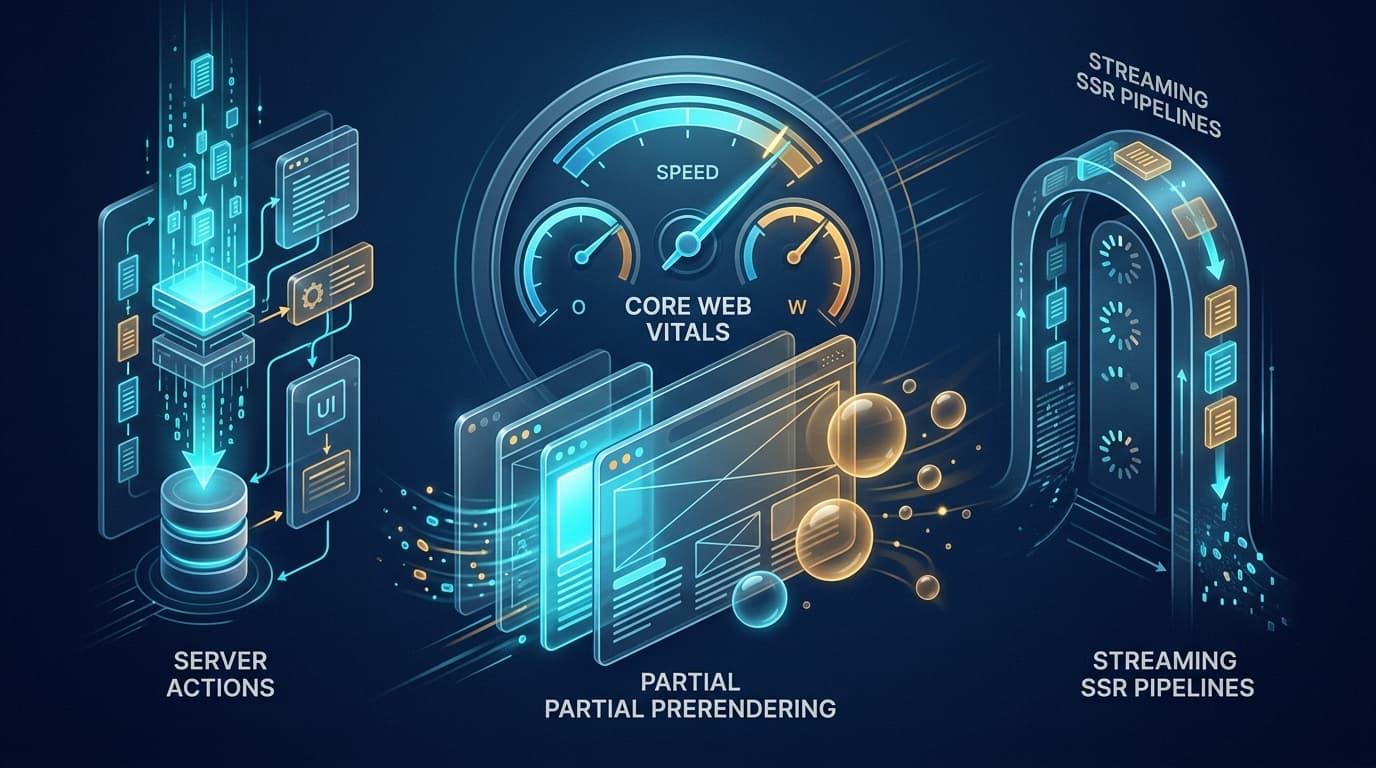
What You Must Master to Clear This Track
- Understand the boundary between React Server Components (RSC) and Client Components ('use client').
- Leverage Partial Prerendering (PPR) to serve static shell HTML instantly while streaming dynamic user holes.
- Optimize Interaction to Next Paint (INP) by keeping main-thread JavaScript execution below 50ms chunks.
- Secure Server Actions against CSRF, unauthorized execution, and input injection using Zod validation.
- Replace traditional client-side data fetching waterfalls with co-located server async component execution.
Step-by-Step Study Plan
Follow this sequential roadmap designed to take you from core foundations to advanced architecture and mock interviews.
RSC Architecture & Serialization
Master the RSC wire protocol, React Suspense streaming, and client-server component composition.
- •Understand why Server Components add zero kilobytes to the client JavaScript bundle.
- •Learn how props passed to Client Components must be serializable across the RSC boundary.
- •Structure layouts, template files, and parallel/intercepting routes.
- •Move data fetching directly into async Server Components to eliminate client waterfall requests.
- •Push 'use client' directives as deep down the component tree as possible (leaves only).
Server Actions & Cache Revalidation
Form submissions, optimistic UI updates with useOptimistic, and revalidatePath / revalidateTag.
- •Implement zero-JavaScript progressive enhancement form submissions using Server Actions.
- •Integrate Zod schema validation and structured error handling inside action handlers.
- •Trigger fine-grained cache invalidation using revalidateTag('products').
- •Always authenticate user sessions inside Server Actions; never rely solely on layout checks.
- •Use useTransition to track action pending state without freezing the user interface.
Partial Prerendering & INP/LCP Tuning
Configuring PPR, edge caching, font and image optimization, and Interaction to Next Paint (INP) fixes.
- •Configure Next.js experimental Partial Prerendering (PPR) on high-traffic landing pages.
- •Profile React 19 concurrent scheduling and avoid long animation frame (LoAF) tasks.
- •Achieve green scores (95+) on Lighthouse Core Web Vitals (LCP < 2.5s, INP < 200ms, CLS < 0.1).
- •Use next/font and next/image to eliminate layout shifts and optimize font display swap.
- •Audit third-party tracking scripts to prevent main thread blocking during user interactions.
1. The React Server Component (RSC) Paradigm
React Server Components fundamentally alter web architecture by running exclusively on the server, producing an AST stream rather than transmitting code bundles to the browser.
Heavy dependencies (e.g. date-fns, markdown parsers, database clients) execute on the server and are stripped completely from the client JS download.
Fast static parts of the page render immediately, while slow data-fetching sections stream into open Suspense holes via HTTP chunked encoding.
// app/dashboard/page.tsx (Server Component by default)
import { Suspense } from 'react';
import MetricsSkeleton from '@/components/MetricsSkeleton';
import RecentActivity from '@/components/RecentActivity';

export default async function DashboardPage() {
  return (
    <main className="p-8">
      <h1 className="text-2xl font-bold">Operations Dashboard</h1>

      {/* Renders instantly with static shell */}
      <p className="text-muted">Real-time platform status</p>

      {/* Streams in asynchronously when data resolves */}
      <Suspense fallback={<MetricsSkeleton />}>
        <RecentActivity />
      </Suspense>
    </main>
  );
}2. Cracking INP & LCP in High-Scale Web Apps
Interaction to Next Paint (INP) measures responsiveness to clicks, taps, and key presses. Poor INP results directly from long CPU tasks blocking the main thread.
Break long JavaScript computations (>50ms) into small slices, allowing the browser to paint user inputs between slices.
Preload hero images with fetchPriority='high' and use server-rendered HTML for priority above-the-fold content.
Top Must-Know Interview Questions & Model Answers
Q1: What is the difference between Partial Prerendering (PPR) and traditional Static Site Generation (SSG)?
- •SSG (Static Site Generation): If a page requires user-specific data (cart count, profile), the entire page must either become dynamic or fetch data client-side after hydration.
- •PPR (Partial Prerendering): The static parts of the route are prerendered and cached at the CDN edge. When a user requests the page, the static shell is served instantly, while dynamic Server Components inside Suspense boundaries run and stream in simultaneously.
- •Result: Instant static TTFB with zero client-side waterfall requests.
Q2: How do Server Actions work under the hood, and how do they ensure CSRF protection?
- •Compilation: Next.js generates an internal action ID and registers an endpoint that only accepts POST requests with the Next-Action header.
- •CSRF Protection: The framework verifies that the incoming Origin and Host headers match. If they differ, the request is rejected with a 403 Forbidden.
- •Security Best Practice: Always re-authorize the user session inside the action and validate arguments with Zod; do not trust client input.
Recommended Practice Quizzes on QuizCluster
Test your retention and prepare for timed live coding and MCQ technical screening rounds:
React & Next.js Internals Quiz
Test React 19 hooks, concurrent mode, Server Components, and App Router lifecycle mechanics.
JavaScript & TypeScript Mastery Quiz
Test event loop microtasks, prototype inheritance, TypeScript generics, and memory leak patterns.
Frequently Asked Questions
Does marking a component with 'use client' make it render only on the client?
No! 'use client' creates a boundary between Server and Client component trees. Client Components still pre-render to HTML on the server during the initial page load (SSR), and then hydrate with interactive event listeners in the browser.
How can I fix high Interaction to Next Paint (INP) scores in Next.js?
Identify Long Animation Frames (LoAF) using Chrome DevTools Performance panel. Offload heavy computation from event handlers to Web Workers or chunk tasks using scheduler.yield(), and replace heavy third-party libraries with lighter modern alternatives.